If you have to write a paper in MLA format, your last page will be a works cited page with hanging indent. My students had a difficult time making this happen, so here’s a step-by-step tutorial for you.
First, create your Works Cited Page. Purdue OWL is always a good resource for instructions.
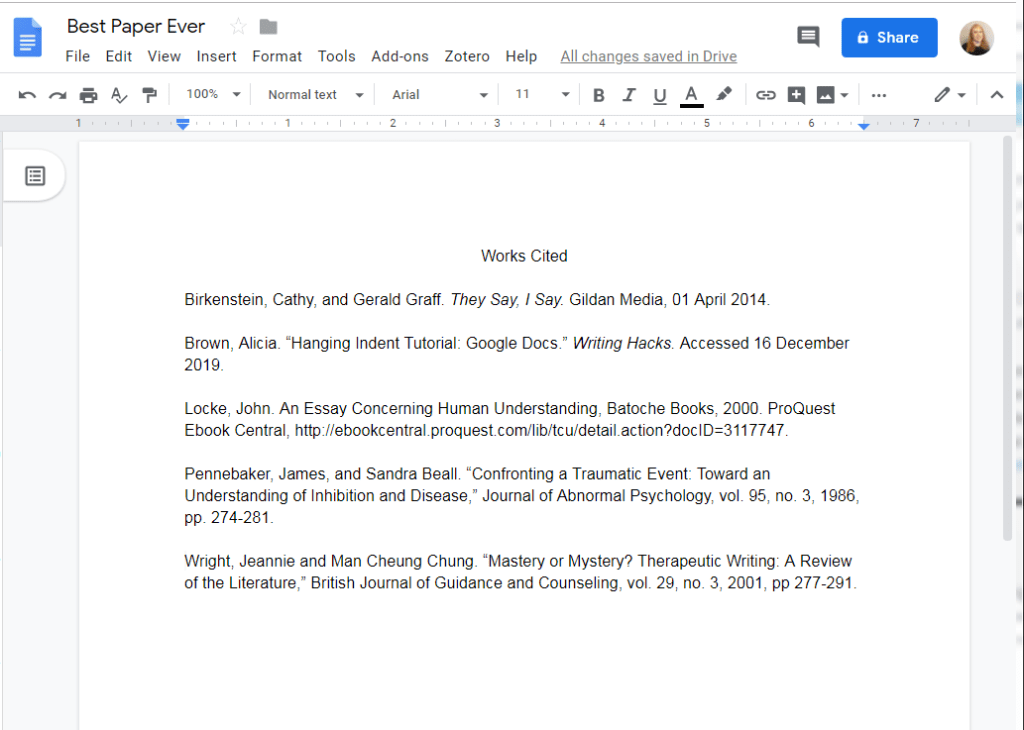
Note: The above image is only the FIRST step. Keep going for more.
Once you have your works cited page, you need to give the entries a hanging indent. First, highlight the entries:

Next, click on this little doohickey on the ruler:

Click on the TRIANGLE part of the doohickey:

And drag it to the half inch mark (a tall line halfway between the starting point and “1”):

NOT DONE YET! Next, click on the doohickey again, but this time ONLY on the rectangle part:

Drag the rectangle back to zero (right where the ruler turns grey). Tadaa! A beautiful hanging indent.

 Writing Hacks